Online workout diary and training calendar
Log sets, weights and reps, see your workouts on a calendar and your progress on charts. Runs in the browser on desktop and phone, free.
No install, no card. Create an account later and keep your entries.
- 12
- workouts logged in the last 7 days
- 424
- workouts logged in total
- 104
- exercises in the catalog
- 35
- ready-made training plans
A workout diary you fill in between sets
Three reasons people keep a diary: remember what you did, see the whole week, and know whether the weights are going up.
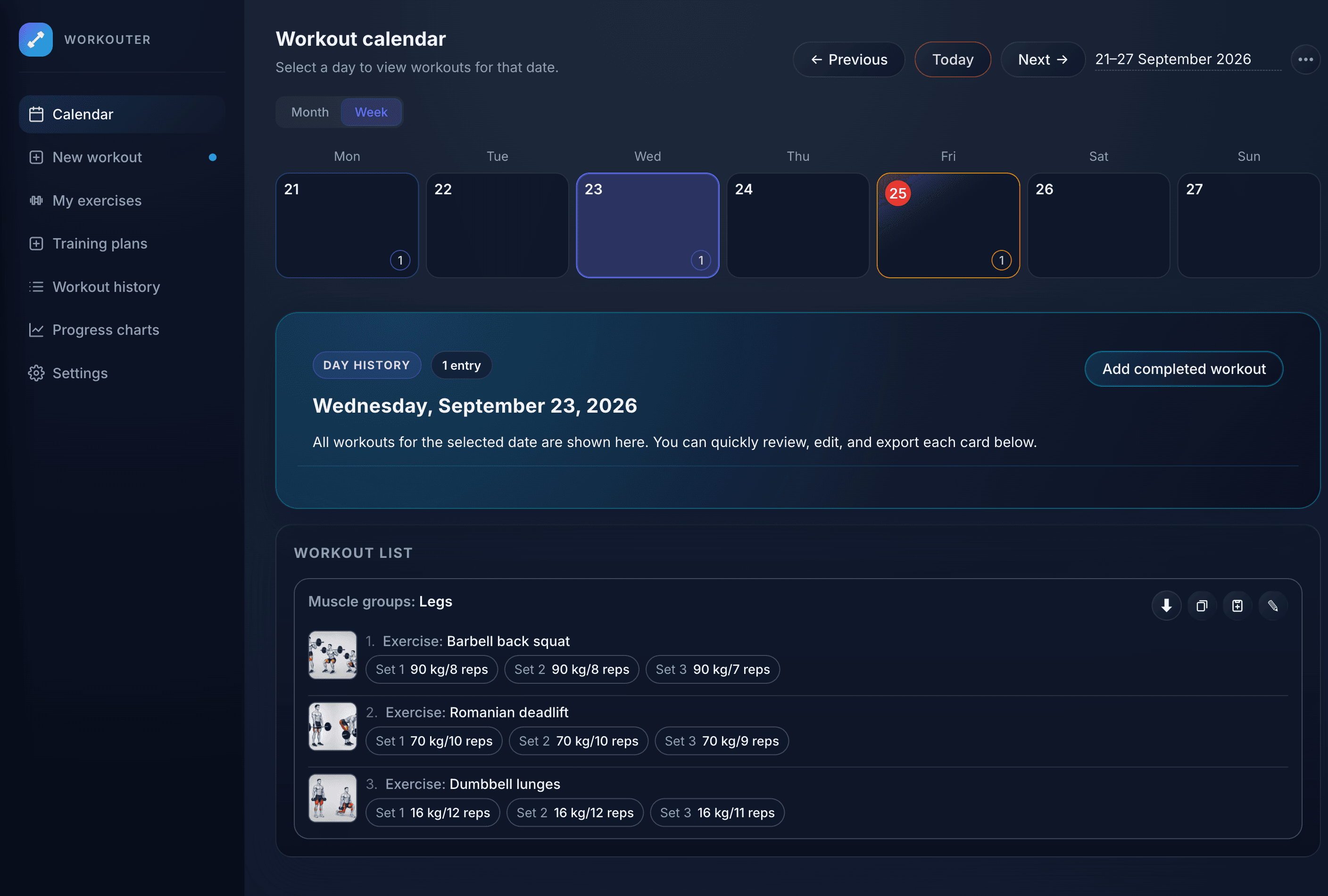
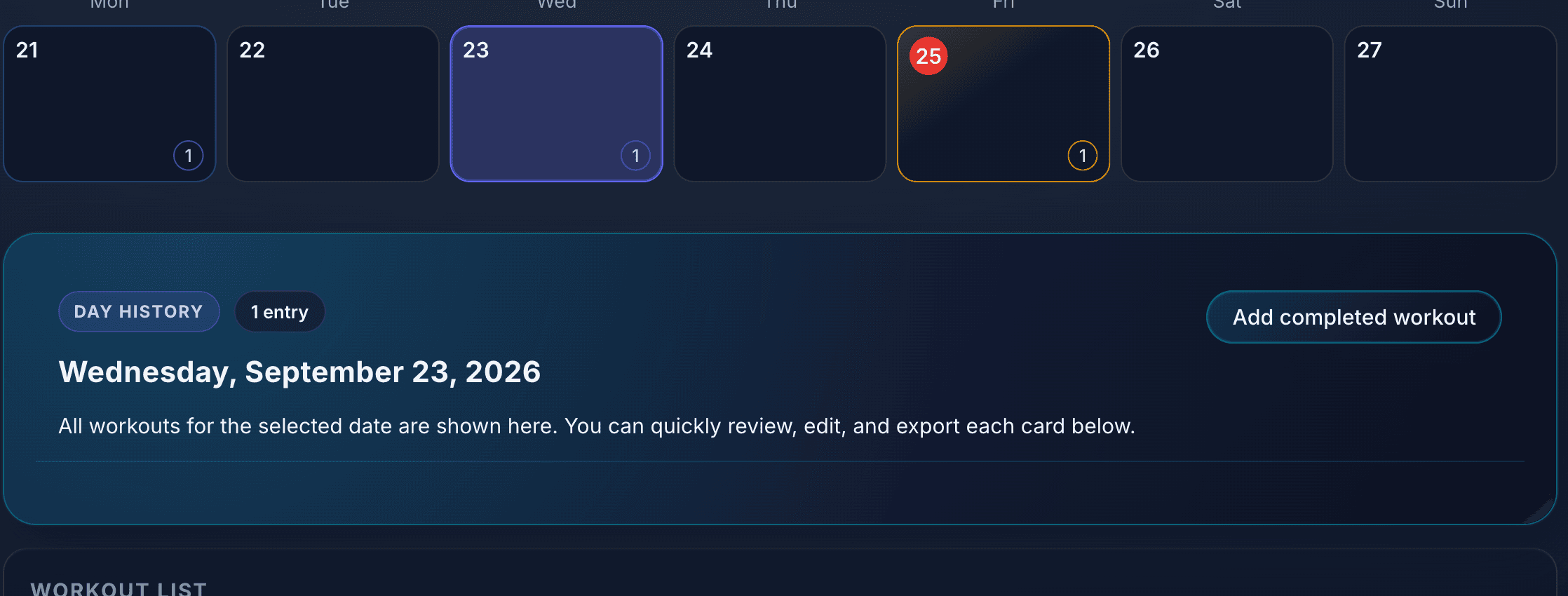
Training calendar by week and month
Every workout lands on its day. Done and planned workouts are marked differently, so you see last week and what is ahead.
- Week and month views
- Planned workouts get their own marker
- Click a day to see every entry for that date
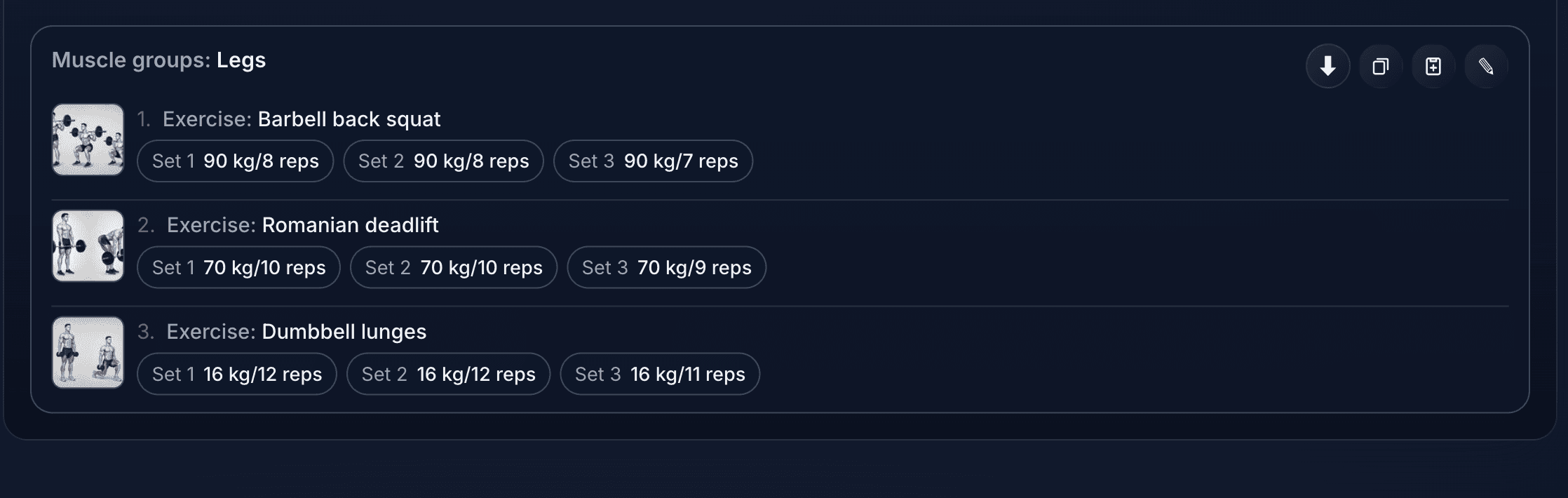
Set logging: weight, reps, exercise
A row per exercise, a chip per set. Log 90 kg for 8, add the next set, go lift. No extra screens.
- Add the same exercise twice if you need to
- Previous weights are filled in for you
- Copy any workout into a plan or export it
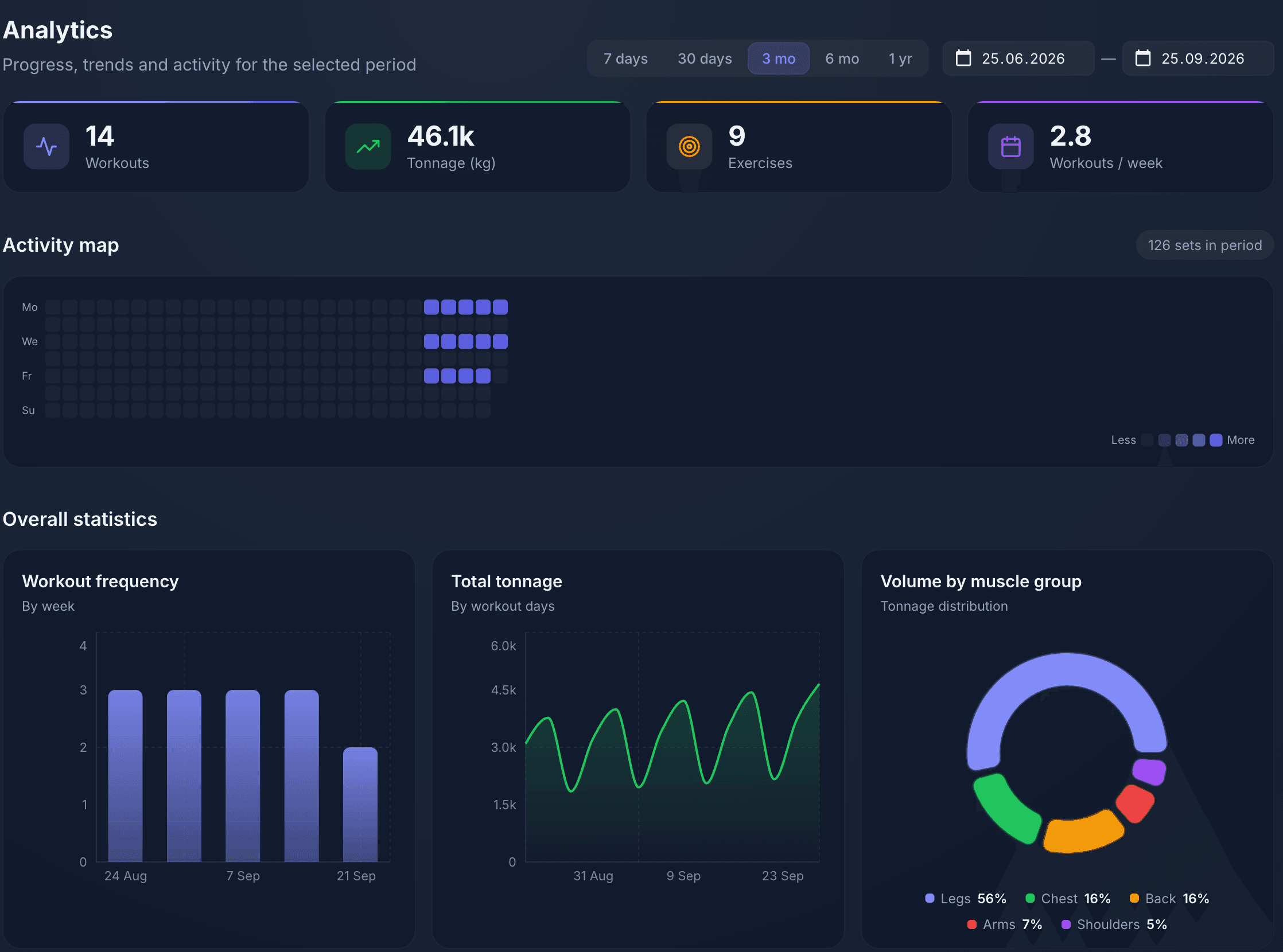
Progress charts for every exercise
Max and average weight, tonnage, estimated one-rep max and an activity map by day. You see where you grow and where you stall.
- Progress per exercise and per muscle group
- Tonnage and training frequency by week
- Any period from 7 days to a year
- Exercise library
- A ready catalog with images and muscles, plus your own exercises with photos.
- Export and import
- History exports to CSV, XLSX, PDF and JSON. Import from JSON and ZIP.
- Phone and desktop
- One account in the browser on any device, and an app for Huawei.
- Free
- Diary, calendar, charts and export at no cost. No card needed.
Open, log, see the growth
 1
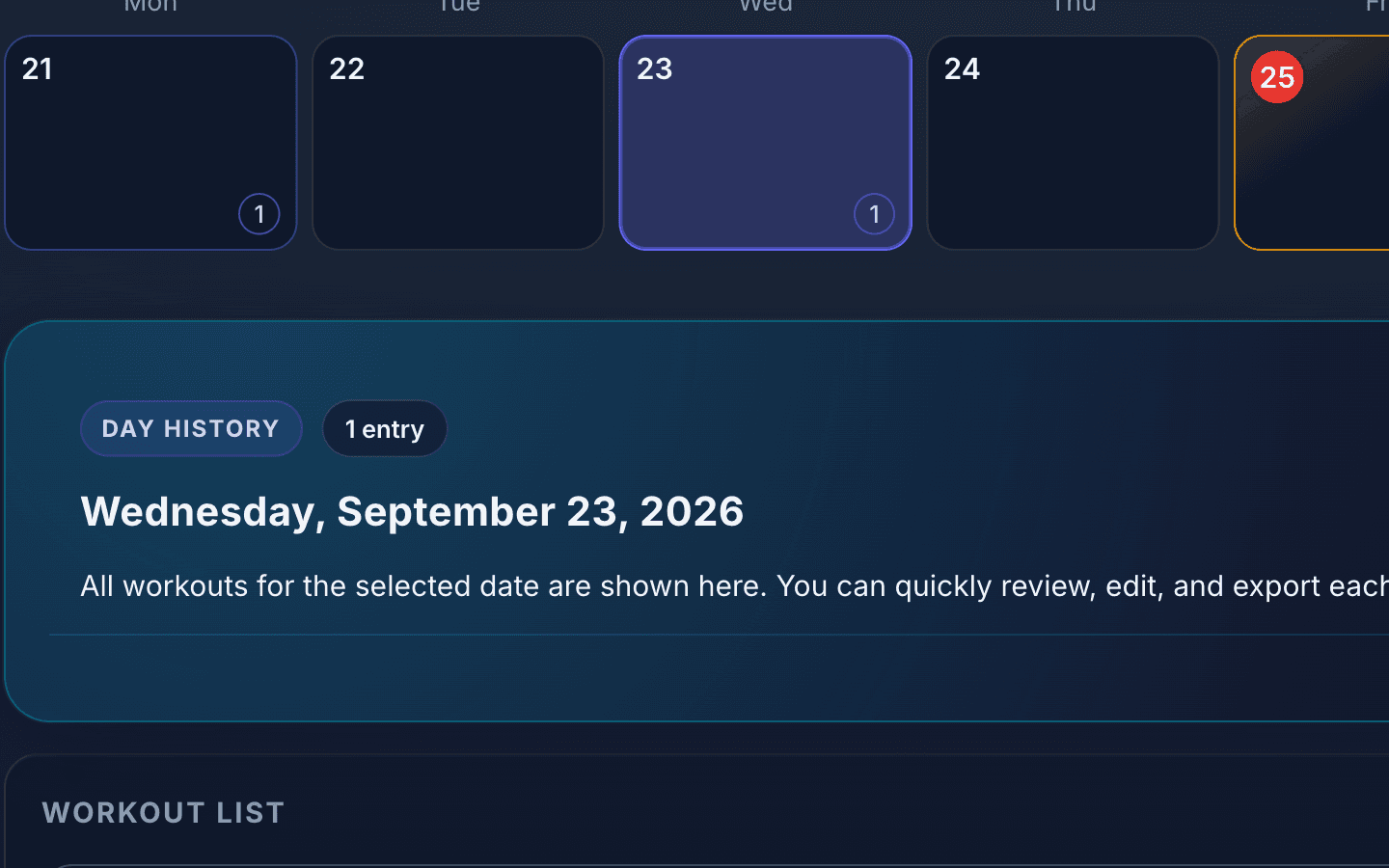
1Open the day in the calendar
Today is already highlighted. One click and you are inside the workout.
 2
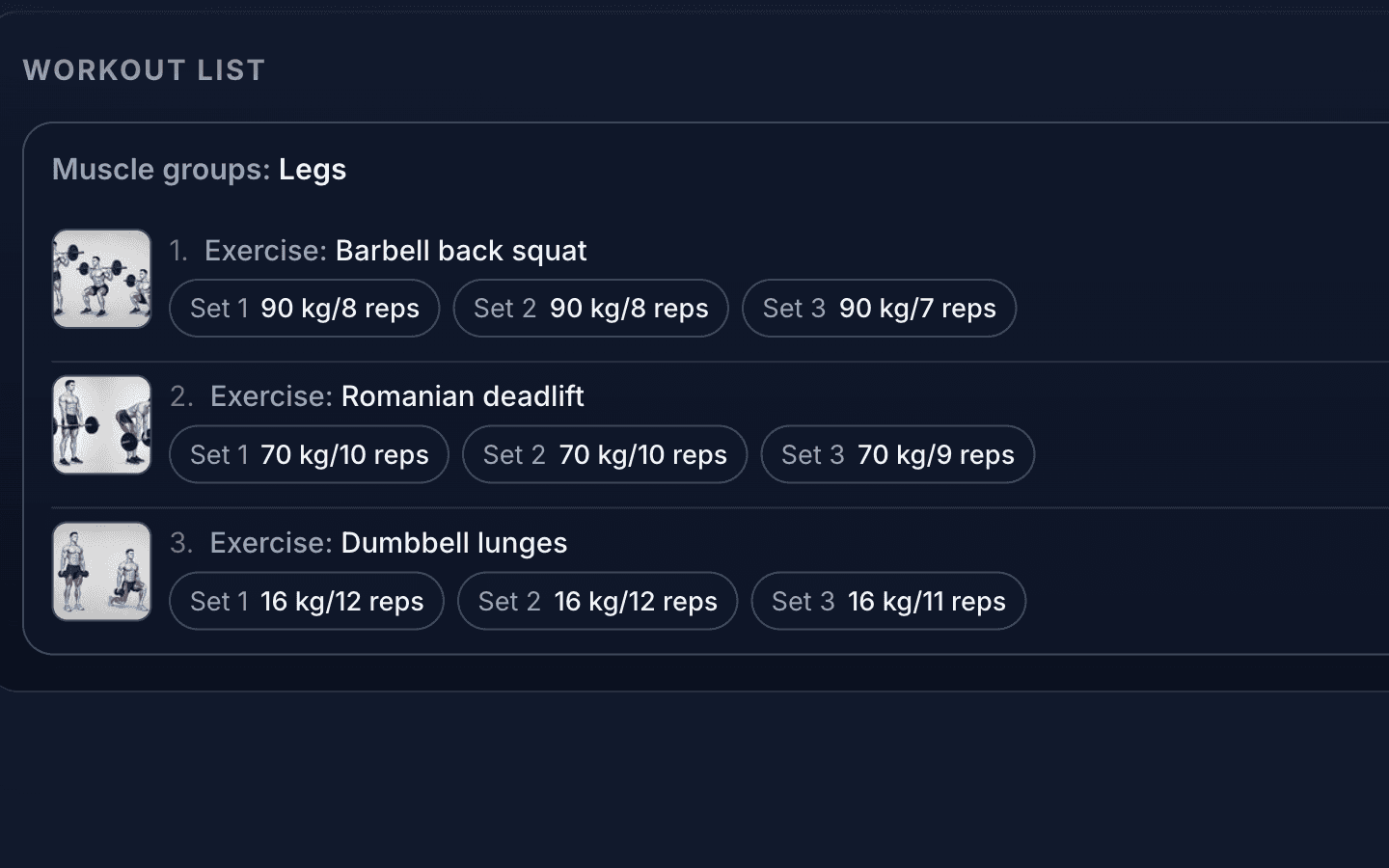
2Log the set
Weight and reps, two numbers. Previous weights are already filled in, change only what went up.
 3
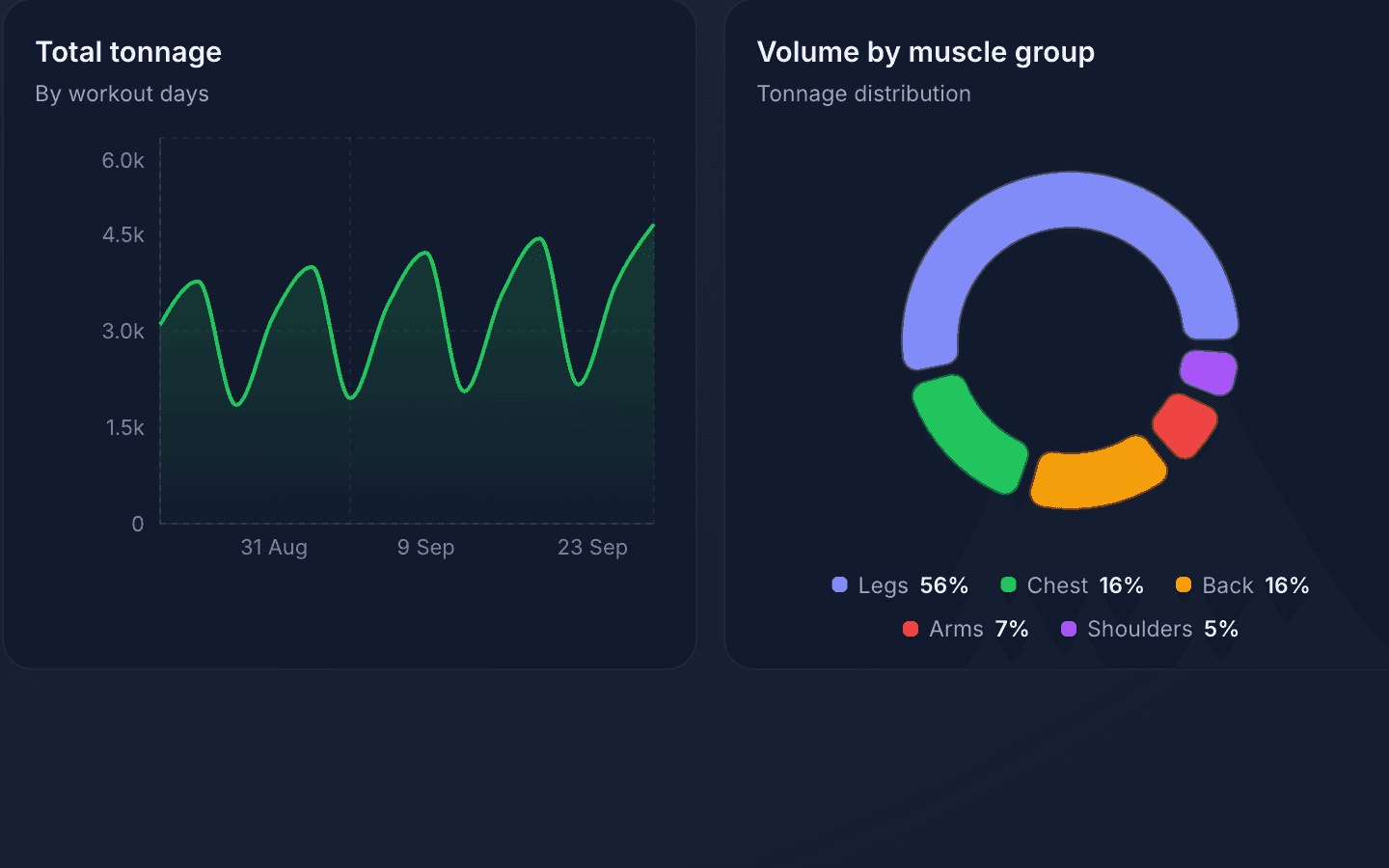
3Watch the weight grow
A chart per exercise and tonnage by day. You see where you added before you feel it.
Notebook and notes versus the diary
Three questions that come up in every workout, and how paper, notes and the diary answer them.
- What did I do last time?
- Notebook or notes:Flip pages or search notes while resting between sets.Diary:Previous weights are filled into the new workout automatically.
- Am I growing at all?
- Notebook or notes:By feel: it seems easier.Diary:A chart of max weight and tonnage per exercise.
- What should I do today?
- Notebook or notes:Improvise, usually repeating favourites.Diary:A ready plan in the calendar or an AI pick from your history.
AI builds a workout plan from your history
No need to decide what to do today: the AI checks which muscles have rested and what weights you used, and proposes a ready workout.
- 1
Analyzes your history
The AI studies your past workouts: which muscles you trained, with what weights, and when you last hit each group.
- 2
Picks muscles and exercises
Based on that analysis, the AI suggests which groups to train today and selects specific exercises from your library.
- 3
Builds a ready-to-go plan
A full plan with warm-up and working sets, reps and weights. Dial in the difficulty with a slider — from 5% to 100%.
AI workout plan
Difficulty: 70%
- 1.Bench press4×880 kg
- 2.Bent-over row4×1060 kg
- 3.Seated dumbbell press3×1222 kg
AI recommendation
Chest and back haven't been trained in 4 days — the perfect time to load them. Weights are based on your last 5 workouts.
Ready-made training plans for your level
A day-by-day workout calendar: exercises, sets and weights already planned out. Open the first workouts for free.

4-Day Upper/Lower Gym Split — Intermediate
An 8-week upper/lower split: 4 workouts a week (Mon/Tue/Thu/Fri), 32 workouts. Two different upper-body workouts (barbell presses and rows, dumbbells, cables, arms) and two lower-body workouts (squats, deadlifts and Romanian deadlifts, leg press, hip thrusts, abs), so every muscle is trained twice a week. 5–6 exercises, 3–4 sets of 8–11 reps; add 1 rep every week, +5 kg on barbell and machine lifts from week 5. For those who already train confidently.

Home Workout Program for Women — Dumbbells
An 8-week program for training at home: 3 workouts a week (Mon/Wed/Fri), 24 workouts. All you need is a pair of dumbbells and a mat: a legs & glutes day (dumbbell squats, reverse lunges, single-leg Romanian deadlifts), an upper body & core day (push-ups, delts, hammer curls, side bends) and a full-body day. 5–6 exercises, 3–4 sets of 10–15 reps; add 1 rep every week, dumbbells 1–2 kg heavier from week 5.

Dumbbell Circuit Training
An intense 4-week circuit program: 3 workouts a week (Mon/Wed/Fri), 12 workouts. Dumbbell moves alternate with bodyweight exercises with short rests — 6 exercises, 3 sets of 12–15 reps. Reps go up every week, and from week 3 the dumbbells get heavier. For people who already train confidently.


The workout diary as a phone app
The same workouts, calendar and plans in the app for Huawei smartphones. Free on AppGallery.


Questions about the diary
How Workouter works and what is free, in short.
Yes. Workouter is a workout diary that runs in the browser: you log exercises, sets, reps and weights, and every workout lands on a calendar. Nothing to install.
Yes, on a computer, tablet and phone. It is the same account everywhere: log a set on your phone in the gym and review charts on a big screen at home.
Each logged workout appears on its day. Planned workouts are marked separately, so you can see the week ahead and what you have already done. Switch between week and month views.
Yes. Logging, the calendar, history, progress charts and export are free. AI plan generation is available to every user.
The AI reads your history: which muscles you trained recently and with what weights. It picks exercises and builds a plan with sets, reps and weights. Difficulty is tuned with a slider from 5% to 100%.
Yes, import from JSON and ZIP is supported. You can export your history to CSV, XLSX, PDF or JSON at any time.
Workouter is built for strength training with weights: bench press, deadlift, squats and so on. If you train with weights, this is your tool.
Open the diary and log today's workout
Workouter is free and runs in the browser. The first workout can be logged without signing up.
No card. Sign-up takes half a minute.